Data models agents can trust
Analysts fill gaps in a data model with tribal knowledge; AI agents fill them with confident guesses. Four ideas, with real Salesforce examples, for models an agent can answer from correctly.
On this page 7 sections
TL;DR
- Analysts fill gaps in a data model with tribal knowledge. Agents fill them with confident guesses, delivered instantly to someone who never sees the SQL.
- Make meaning explicit: predictable names, a stated grain, careful joins, one definition per metric, and nothing you cannot source.
- Make trust machine-checkable: certification as a CI state a monitor can revoke, coverage tests on the columns agents rely on, and fixes at the source rather than by guessing.
- Treat definition changes as breaking changes, and enforce access in the warehouse rather than in the prompt.
- Test the agent, not just the tables: keep real stakeholder questions with known answers and rerun them on every change.
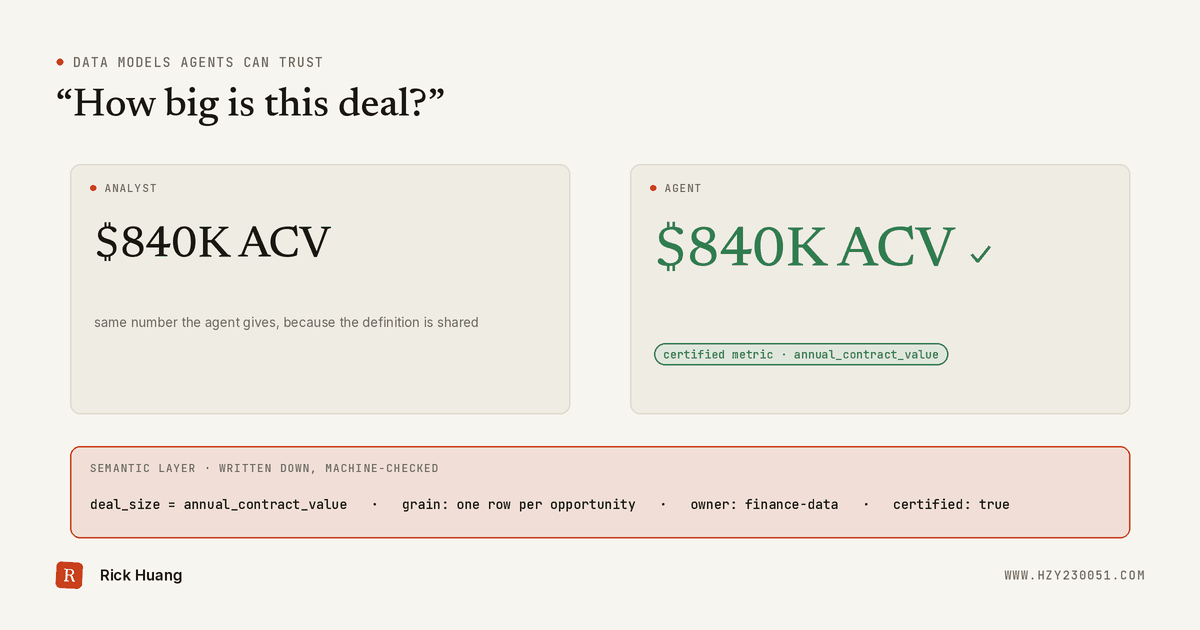
An AI agent answering data questions is only as good as the data model under it. Analysts fill gaps with tribal knowledge; agents fill them with confident guesses. Four ideas make a model agent-ready.
Why agents raise the bar
An analyst who finds an old salesforce_* view next to dim_salesforce_account asks which one to use. An agent picks one and answers, without saying it guessed. The same happens with a plain question like “how big is this deal?”
Ambiguity used to cost an analyst ten minutes. Now it costs a wrong number, delivered instantly to someone who never sees the SQL. So everything needed to answer correctly must be written down where the agent reads it, and checked by a machine.
At a glance
Data passes through four layers before anyone should see it. Agents enter only at the semantic layer, where every term has one checked definition.
1. Make meaning explicit
Agents read names and descriptions like a newcomer, so the model has to explain itself.
Predictable names. dim_ for things, fct_ for events, and prefixes and suffixes like is_, _usd and _at. amount_usd needs no guess; amount does.
A stated grain. Our opportunity table has one row per opportunity, showing only its current stage. It can’t say how long deals sat in a stage; that needs a table with one row per real stage change.
Careful joins. One client entity can carry several KYC profiles. Joining them onto accounts without a one-per-client rule multiplies every account. (The deeper version of this problem is one customer, five systems.)
One definition per metric. AUC (assets under custody), ACV (annual contract value), expected revenue and weighted ACV each get their own named metric, owner and caveats, defined once in the semantic layer.
Nothing you can’t source. We only have each deal’s current owner, so “owner at each stage” stays unpublished rather than crediting the wrong rep.
2. Make trust machine-checkable
An agent can’t tell a trusted table from a scratch one unless the system says so. “Certified” should be a state CI verifies: an enforced contract on columns and types, complete docs, lineage, a tested key. A daily monitor removes the badge on drift.
Check content, not just shape. Our Salesforce account table passed every structural check while client type, risk rating and operating country were empty. Asked how many clients operate in a country, an agent would answer “none.” Each column now names its source and expected coverage.
Fix at the source, never by guessing. Some finance customers lacked a Salesforce account link. Matching on company name would have been fast and unverifiable, so the link is being created in Salesforce instead.
Give every alert an owner. An opportunity type outside the approved list triggered an alert. Left unowned, the agent’s new-versus-renewal split silently drops that deal.
3. Make change and access safe
Treat definition changes as breaking changes. A renamed column or a changed formula shifts agent answers overnight. Announce it and run old and new side by side; our old salesforce_* views stay up while new work moves to dim_ and fct_ tables.
Enforce access in the warehouse, not the prompt. “Don’t show risk ratings” in a prompt is a request, not a control. Bringing KYC ratings onto the account table needed an explicit grant, and each copied column states its source.
4. Test the agent, not just the tables
Table tests prove data is well-formed, not that an agent correctly answers “how much new-business ACV closed last quarter?” Keep real stakeholder questions with known answers and rerun them on every change. A falling score is the earliest sign that a change broke meaning. I go through how to build and score that set in evals for analytics agents.
Keep the standards in one place, next to the code, so CI, reviewers and agents all read the same rules.
Where to start
You don’t need all of this at once. Start here:
- Write a one-line grain on every table people query.
- Test every primary key, and add coverage tests on columns agents rely on.
- Move your five most-asked metrics into the semantic layer, each with an owner.
- Make certification a CI check that a monitor can revoke.
- Give every alert an owner and a response time.
- Tag sensitive columns and enforce masking in the warehouse.
- Turn ten real stakeholder questions into an answer test.
Found this useful? Pass it on